eSIM Finder helps travelers buy travel eSIMs for 190+ countries — without roaming fees, SIM card swaps, or airport queues. This guide answers the questions first-time travel eSIM users ask most often, in plain language.
Buying your first travel eSIM raises a lot of questions. What exactly is it? Will it work with your phone? Can you keep your existing number?
Here are the answers.
What is a travel eSIM?
A travel eSIM is a data-only eSIM designed for international travel.
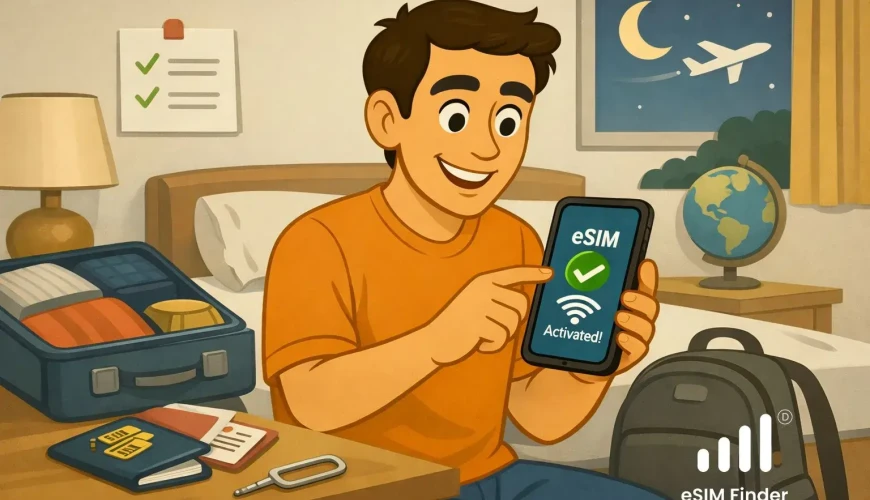
Instead of buying a local SIM card at the airport or paying expensive roaming fees, you buy a travel eSIM online before your trip, install it at home, and go online automatically when you land abroad.
eSIM stands for embedded SIM. It is a chip built directly into your phone — no physical card, no SIM tray, no swapping.
What is the difference between an eSIM and a regular SIM card?
A regular SIM is a small plastic card you insert into your phone. To switch networks or use a different plan, you physically swap the card.
An eSIM works the same way but entirely in software. You download a plan, it installs on the chip already inside your phone, and you can switch or add plans without touching any hardware.
For travel, this means:
• no queuing at airport SIM kiosks
• no risk of losing or damaging a card
• no need to give up your home number while abroad
• you can install your travel eSIM days before you fly
Does a travel eSIM give me a new phone number?
No. Travel eSIMs are data-only. They give you a mobile data connection abroad — for maps, messaging apps, and browsing — but not a new phone number.
Your original SIM and home number stay active at the same time. Calls and texts to your regular number still come through normally.
WhatsApp, iMessage, FaceTime, and Google Meet all work over your travel eSIM data connection. Most travelers never need a local number at all.
Can I use my home SIM and the travel eSIM at the same time?
Yes. This is called Dual SIM mode.
Your home physical SIM stays in your phone for calls and texts. The travel eSIM handles mobile data abroad. Both work simultaneously — you keep your regular number and pay local data rates at the same time.
Is my phone compatible with eSIM?
Most modern smartphones support eSIM. To check whether yours does, look for an option to add an eSIM or mobile plan in your phone's settings.
On iPhone: Settings → Cellular → Add eSIM
On Android: Settings → Connections → SIM Manager → Add eSIM
If you see an option to Add eSIM, your phone supports it.
Your phone also needs to be network-unlocked. Phones bought directly from Apple, Google, or a manufacturer are usually unlocked. Phones bought through a carrier on a contract may be locked. Contact your carrier to request an unlock if needed.
eSIM Finder works with eSIM-compatible, network-unlocked iPhones and Android phones.
How do I install a travel eSIM?
1. Buy your eSIM plan in the eSIM Finder app — you receive a QR code by email within minutes
2. Open your phone's eSIM settings and select the option to Add eSIM
3. Add your eSIM by scanning the QR code (android device) or via quick install (iPhone)
4. Label your eSIM so you can find it easily in settings
5. Set your travel eSIM as the active SIM for mobile data
6. Enable Data Roaming for your travel eSIM — this is required for the eSIM to connect to partner networks abroad
7. Disable Data Roaming on your home SIM — this prevents unexpected charges from your home carrier while you are abroad
8. When you land, turn off airplane mode — your eSIM connects automatically
Hint: Do steps 1 to 7 at home while you have WiFi. You need an internet connection to download and install the eSIM profile, so do not leave it until after you have landed.
Watch video manuals for iphone and android smartphones.
When does my data plan start?
For most travel eSIMs, the validity period starts when your eSIM first connects to a network in your destination country — not when you install it or buy it.
Installing at home does not start the clock or use any data.
Check the terms of your specific plan before purchasing, as a small number of plans start counting from the purchase date.
Is a travel eSIM cheaper than roaming?
Usually yes, and by a significant margin.
International roaming through your home carrier can cost $10–$15 per day, or charge per megabyte used. A travel eSIM typically provides several gigabytes of data for a fraction of that cost.
For a practical look at why roaming bills get so expensive, read: Why Roaming Data Bills Are So Expensive
Is a travel eSIM better than buying a local SIM at the airport?
For most travelers, yes.
A local SIM at the airport means queuing, sometimes showing ID, swapping your physical SIM, and losing access to your home number for the duration of your trip. It also usually only covers one country.
A travel eSIM is installed before you travel, keeps your home number active (read Keep Your Number blog here), covers multiple countries on a single plan, and connects automatically when you land.
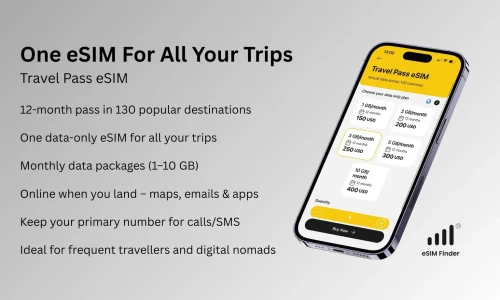
What is the Annual Travel Pass eSIM?
The Annual Travel Pass eSIM is available in the eSIM Finder app for travelers who want one eSIM for all their trips.
Instead of buying a new eSIM for every destination, you install one eSIM and reuse it across trips for a full year.
Key facts:
• one data-only eSIM valid for 12 months
• coverage across ~130 popular destinations
• choose your monthly data bundle — 1, 2, 3, 5, or 10 GB per month
• monthly data resets — unused data expires at the end of each month
• installation via QR code sent by email
• secure checkout via Apple Pay, Google Pay, PayPal, or card
• compatible with eSIM-supported, network-unlocked iPhones and Android phones
For a full explanation of how the Annual Travel Pass works, watch a Travel Pass in action.
Who is the Annual Travel Pass eSIM for?
This model works best for:
• frequent international travelers
• business travelers flying several times a year
• digital nomads moving between countries
• anyone who wants predictable connectivity without repeated setup
It is not ideal if:
• you travel only once per year
• you need voice calls or SMS from your travel eSIM
• you want the cheapest possible plan for a single short trip
How does the monthly data reset work?
Your data allowance refreshes monthly. Any unused data from the previous monthly period expires and does not carry over.
My eSIM is installed but I have no data connection — what do I do?
Work through this checklist:
• Check that your travel eSIM is selected for mobile data in your phone's cellular settings
• Make sure Data Roaming is enabled for your travel eSIM — this is the most common cause of no connection
• Make sure Data Roaming is disabled on your home SIM
• Toggle airplane mode on, then off — this forces your phone to search for networks again
I accidentally deleted my eSIM — can I reinstall it?
Most reputable providers allow one reinstallation. Contact the provider’s support team with your order details and ask them to send you a new QR code
My data ran out mid-trip — what now?
Most providers offer top-ups through their app or website. Additional data is added to your existing eSIM within minutes. You do not need to install a new plan.
If not, you can always purchase and install a new travel eSIM, as smartphones can store multiple eSIMs.
Before you travel — checklist
• Confirm your phone is eSIM-compatible and network-unlocked
• Buy and install your eSIM before you fly, while you have WiFi
• Enable Data Roaming for your travel eSIM
• Disable Data Roaming on your home SIM
• Save or screenshot your QR code in case you need it again
Ready to go?
The eSIM Finder app helps you buy travel eSIMs for 190+ countries and regions, including the Annual Travel Pass eSIM for frequent travelers.